Administration
The administration page provides the ability to Restart, Factory Restore, or put a Tag into Shipping Mode. See Administration page.
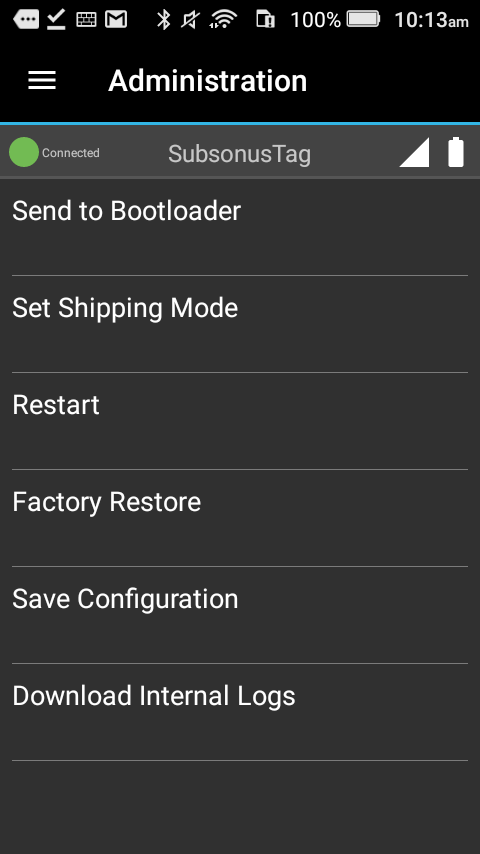
Set Shipping Mode
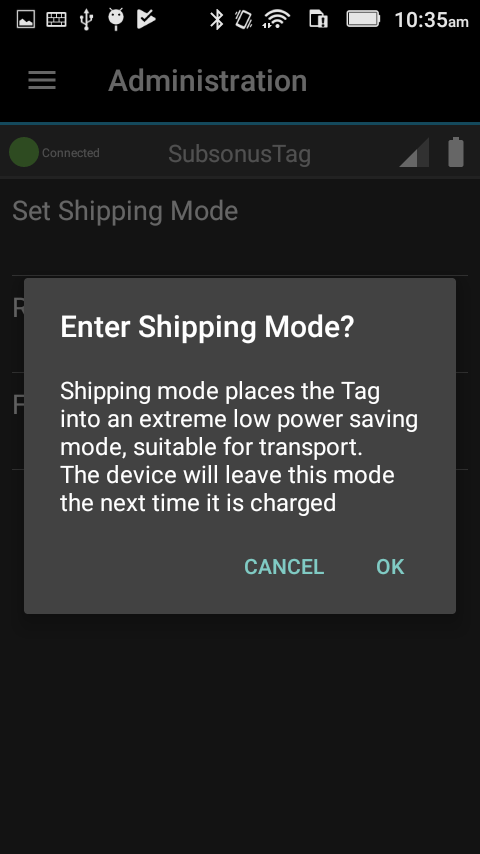
When setting Shipping mode a pop-up will be displayed asking for confirmation – see Shipping mode confirmation. Note that entering shipping mode will turn off the Tag and disconnect it from the Tag Manager application. The only way to exit shipping mode is to place the Tag on a charger.
Subsonus Tag should be placed in shipping mode for transport or storage.
Factory Restore
Pressing “Factory Restore” will reset all settings on the Tag to defaults. Subsonus Tag will be set to Performance Mode on Factory Restore
Save Configuration
The Save Configuration button will save a file, containing the Subsonus Tag configuration, to the handset file-system.
This configuration file includes all settings that can be viewed and configured from the Subsonus Tag Manager application.
Download Internal Logs
This is a tool to download logs that Advanced Navigation engineers can use to diagnose issues with instrument performance. Customer Support may request these logs.
Bluetooth Permissions
Bluetooth discovery requires location permissions to run on android, please ensure that the Tag Manager application has appropriate permissions.
Discovery not working
In the event that the Subsonus Tag Manager application cannot discover a Subsonus Tag, the handset Bluetooth could need to be restarted.