PCB Design Tips
When incorporating the Certus Mini OEM in a PCB (Printed Circuit Board) address the following challenges in order to achieve optimal performance.
Heat sources
Place the Certus Mini OEM away from heat sources, such as CPUs.
Reason: IMU (Inertial Measurement Unit) accuracy is impacted by temperature fluctuations.
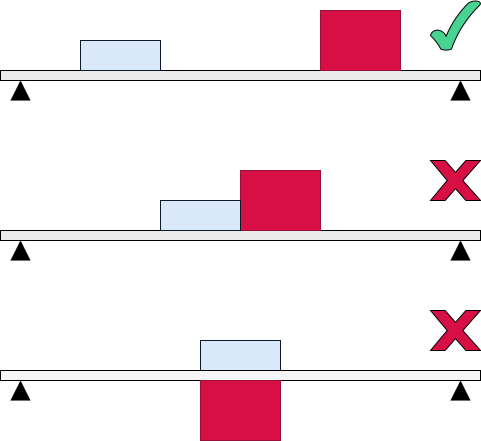
Diagram: Position Certus Mini OEM away from heat sources.
Vibration and resonance
Reduce vibration and resonance.
Reason: Vibration from resonance will introduce noise into IMU readings, which will impact accuracy.
Low harmonic location
Place the Certus Mini OEM on an area of the PCB which is less prone to vibration, typically near the board's center.
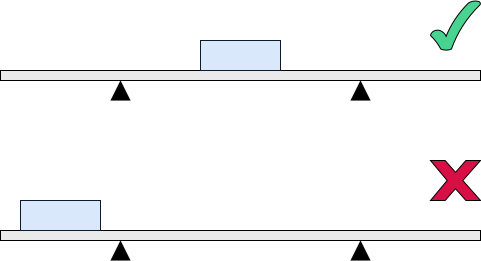
Diagram: Position the Certus Mini in the center of the PCB.
Avoid overhangs
Secure the PCB to reduce resonance, such as:
- Attach to the platform using screws at the corners of the PCB.
- Avoid overhanging sections of the PCB.
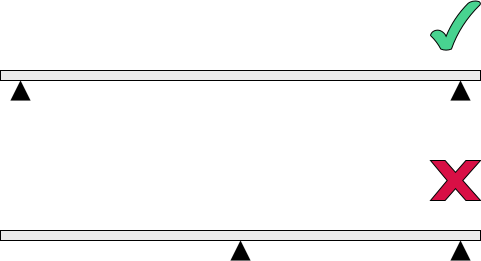
Diagram: Don't have overhanging sections of PCB which are prone to vibration.
Avoid contact with foreign structures
Avoid contact with foreign structures, which might move and nudge the INS, such as a heat sink.
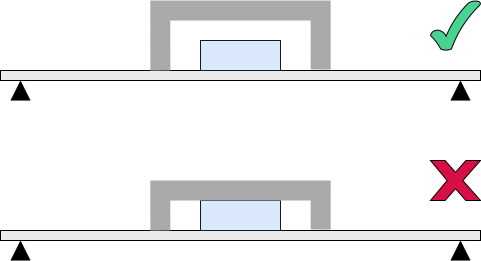
Diagram: Ensure a heat sink is not touching the Certus Mini.
Avoid resin
Avoid resins or other materials over the sensor as it can change performance and calibration.
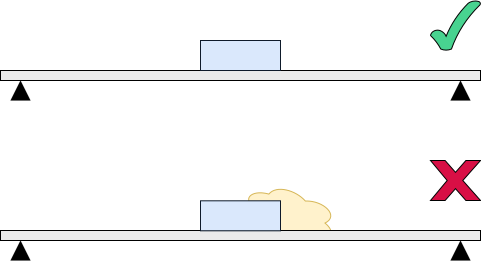
Diagram: Ensure the Certus Mini is not touching epoxy resin.
Rigid board
Use a rigid rather than flexible PCB board.
Avoid board flex from screws
Avoid placing the Certus Mini OEM next to a screw, which can cause board flexing near the screw.
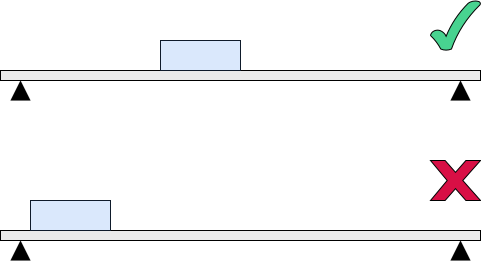
Diagram: Place Certus Mini away from screw holes.
Reason: Flexing of the Certus Mini OEM can introduce bias and noise into IMU readings.